
Last updated November 16, 2026
 Wrought iron
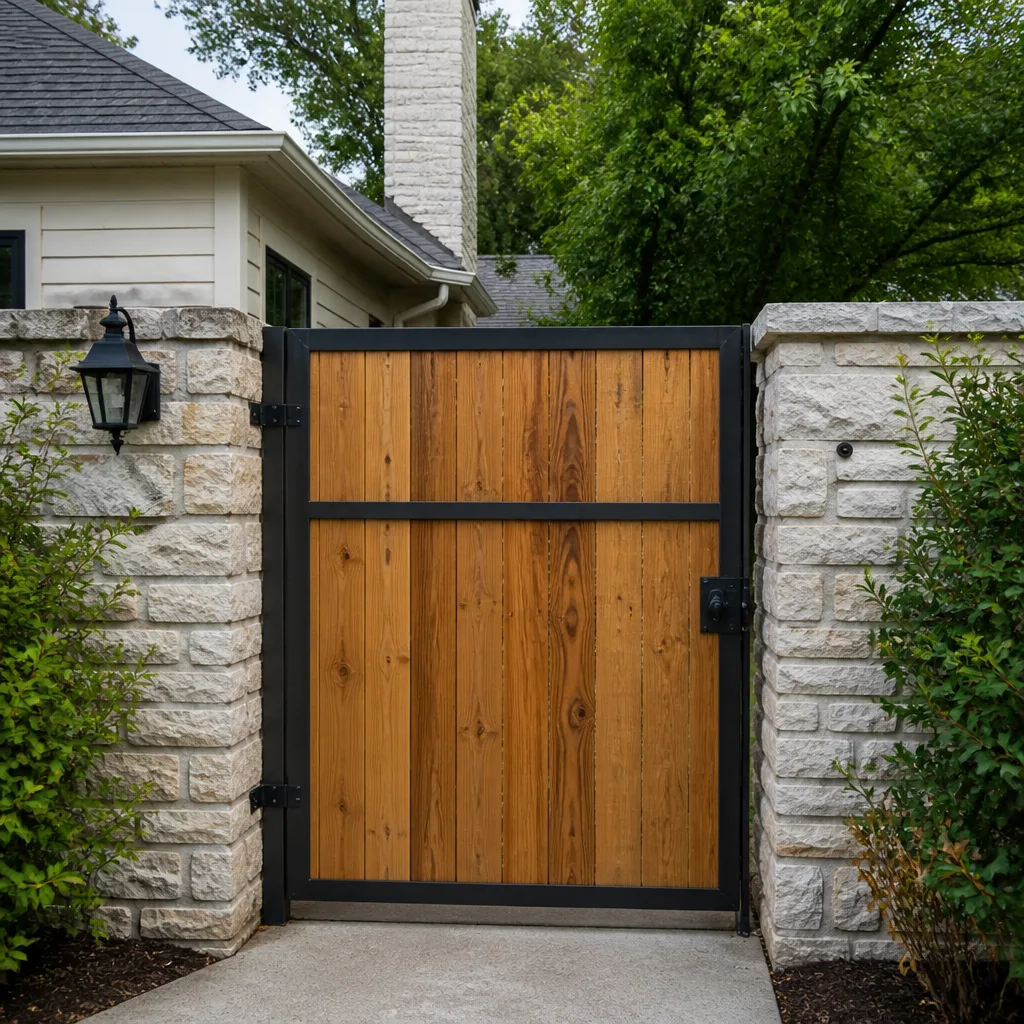 Wood & steel frame
 Farm & ranch
 Sliding driveway gates
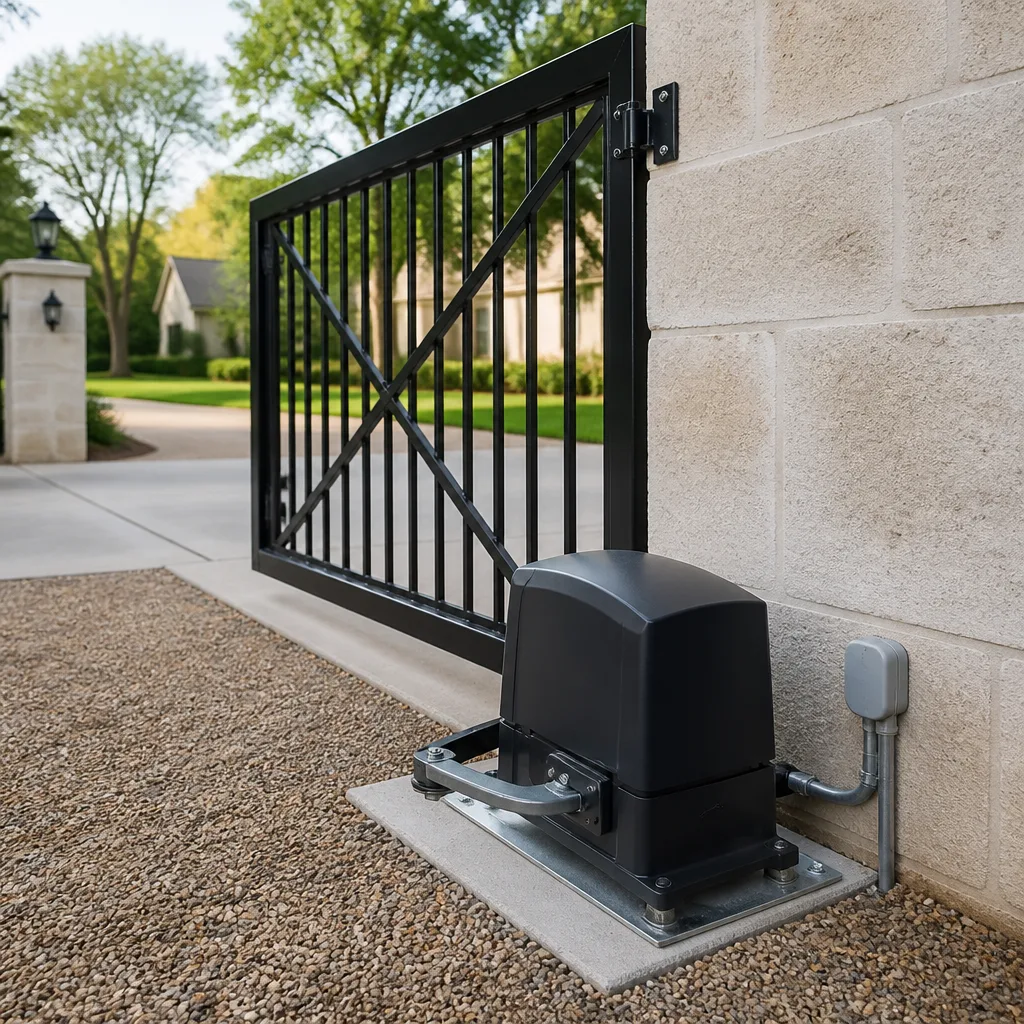 LiftMaster operators
Free on-site gate assessment - hinges, posts, and your LiftMaster or Nice gate operator checked before anything is quoted
The assessment is free and the quote is the invoice.
Get your free estimateGate Repair Emergency Preparedness Guide for Hampton Homes
Most Hampton gate failures are not mechanical surprises. They are planning failures. The motor that quits during a storm, the gate that locks you inside your own driveway, the operator nobody can bypass because the manual release was never pointed out to anyone in the household – these are the moments that turn a repair job into a genuine problem. The uncomfortable truth is that the gate usually telegraphs its failure weeks in advance, and the homeowner usually ignores it until the morning it won’t move. This guide covers what to do before your gate fails: how to find and use a manual release in the dark and the rain, how to test battery backup before you need it, what to do when a gate dies mid-storm, and how to keep one sheet of paper that answers every question a technician will ask. We work on gates across Hampton and we’ve seen which preparations actually hold up under pressure.
Quick Answer
A gate emergency in Hampton is manageable if you’ve prepared three things in advance: a tested manual release procedure every adult in the household can perform in the dark, a battery backup system you’ve verified actually holds a charge, and a one-page emergency information sheet with your operator’s make and model. Without those three, a stuck gate during a storm evacuation or a power outage becomes a scramble. With them, most gate failures are a same-day repair appointment instead of a crisis.
Styles & brands we work with
- Wrought iron
- Wood & steel frame
- Farm & ranch
- Sliding driveway gates
- LiftMaster operators
Table of Contents
- How to Release a Stuck Gate Manually
- Battery Backup: Testing Before You Need It
- What to Do When Your Gate Fails During a Storm
- Building Your Gate Emergency Information Sheet
- Post-Storm Damage Assessment You Can Do Safely
- Pre-Season Checklist for Hampton Gate Systems
- Power Outages and Gate Recovery
- When to Call a Professional
How to Release a Stuck Gate Manually
Every automatic gate operator sold in the United States is required by safety standards to have a manual release mechanism, but “required to have one” and “the homeowner knows where it is” are two very different things. In our experience, most Hampton homeowners have never looked for the release on their own gate. That’s the first gap to close, and it’s the single most useful thing you can do this month.
The release method depends on which operator you have. Here’s how the most common residential and light commercial systems work:
- Locate the operator housing. On a swing gate, this is usually a box-shaped unit mounted near the hinge post. On a slide gate, it’s the housing next to the track, often covered by a small lockable lid.
- Find the release lever or key. Most residential operators use a lever you push or pull, sometimes secured with a padlock. Commercial operators like DoorKing units often use a keyed release cylinder that takes a specific key – find that key before you need it and keep a copy somewhere secure.
- Disengage the operator from the gate. On most swing operators, you lift or depress the release lever and manually push the gate open. On slide gates, you typically pull a release pin or turn the key and slide the gate by hand.
- Move the gate slowly and check for binding. If the gate won’t move freely by hand after release, the problem is mechanical – a failed hinge, a bent track, or a wheel off its rail – not the operator.
- Secure the gate in the open position so it doesn’t swing back on a slope or get caught by wind.
We recommend practicing this release once in daylight, with a partner, before you need to do it in a storm. Walk through it with every adult in the house. If your operator is a Linear or Viking model, the release procedure is usually straightforward but the lever can be stiff after years of disuse – a squirt of lubricant on the release mechanism while the gate is open will save you a wrestling match later.
One caution: never force a release lever or key. If it won’t budge, the operator may be under load from a damaged gate, and forcing it can break the release assembly and leave you worse off. That’s a job for a technician. If your release is stuck, our electric gate repair team can free it and walk you through the procedure while they’re on site.
Battery Backup: Testing Before You Need It
A battery backup is only useful if the battery still holds a charge. This is the piece of gate equipment homeowners most often assume is working and least often check. In Hampton’s summer heat, batteries age faster than most people expect. A sealed lead-acid battery that would last three or four years in a cooler climate can lose capacity noticeably sooner when it sits in a metal operator housing through months of 90-degree afternoons. Heat is the enemy of battery chemistry, and our summers are hard on them.
Here’s how to test your backup properly:
- Check the operator’s battery indicator. Many modern operators have a light or display that signals low battery or a failed charge. Consult your manual for what the indicator means on your specific model.
- Perform a live test at least twice a year. With the gate closed and the system idle, cut power at the breaker that feeds the operator. Then open and close the gate once using the remote. If the gate moves at normal speed, the battery is holding. If it moves slowly or not at all, the battery needs replacing.
- Restore power immediately after the test and confirm the operator returns to normal operation.
- Note the date you last tested and when you last replaced the battery, and check the battery’s date stamp.
- Inspect the battery terminals for corrosion or white crust, which indicates a failing connection.
If your gate is a Ghost Controls system, the backup behavior may differ slightly from a LiftMaster or FAAC operator – some units use a solar-compatible charge controller and some use a straight AC-to-battery arrangement. Knowing which one you have matters when a storm knocks out power for days. If you’re not sure how your backup is configured, that’s a question worth answering now rather than during an outage.
Our technicians have up to 9 years of experience testing and replacing backup batteries across the brands we service. A battery swap is usually a straightforward visit and one of the cheapest insurance policies you can buy for a gate system.
What to Do When Your Gate Fails During a Storm
When a gate fails in the middle of a storm, the instinct is to get it working again. Resist that instinct. Your first job is safety, not function.
Priorities, in order:
- Stop using the remote. If the gate has stopped mid-travel or is behaving erratically, repeated remote presses can burn out the operator’s control board or leave the gate in a worse position.
- Cut power to the operator if you safely can. The breaker feeding the gate operator should be labeled in your panel. If it isn’t labeled, find it now and label it before the next storm.
- Do not touch the gate arms, panels, or moving parts during a storm. Wind-driven gate panels are heavy, and a gate that’s partially open can swing unpredictably. On a slide gate, a panel that’s jumped its track can fall. On a swing gate, a damaged hinge can let a gate sag suddenly.
- Release manually if you need to move a vehicle – only after the wind has eased and only if the gate can be moved without strain.
- Secure the opening. If the gate cannot close, a temporary chain, cable, or lock across the opening keeps the property from being left wide open. Never leave a gate propped open with a brick or block that a vehicle could strike.
- Document what you see with photos from a safe distance – the gate position, the operator housing, any visible damage. This helps when you call for service.
What not to touch: the operator’s wiring enclosure, any exposed control board, and the safety edge sensors. These carry live voltage and, on commercial systems like a DoorKing unit, may involve higher-power circuits than a homeowner expects. If the operator housing has water in it or the control board looks wet, don’t open it. Call a professional.
If your gate is blocking your evacuation route and the release won’t work, call us. We answer 24/7. A call outside dispatch hours is booked into the next opening, Sunday through Friday, 7am to 7pm.
Building Your Gate Emergency Information Sheet
This is the highest-value 20 minutes of prep work in this entire guide. When something goes wrong, the first questions any gate company asks are: what make and model is the operator, what year is it, and how is it powered? If you can’t answer those, the call gets longer and the diagnosis gets slower.
Create a single sheet – paper copy somewhere secure like a folder by the panel, plus a photo on your phone – containing:
- Operator make and model (e.g., a specific LiftMaster, Linear, or BFT model). Look for the plate on the operator housing.
- Gate type – swing or slide, single or double leaf, approximate width and weight if you know it.
- Manual release location and procedure, in plain language, and where the release key is kept.
- Circuit breaker location and label.
- Safety device inventory – photo eyes, safety edges, loop detectors, keypads, intercoms. Note what’s installed.
- Battery backup – type, date installed, date last tested.
- Any override code, keypad code, or access credential stored securely, never on the visible sheet.
- Our number – (855) 686-7069 – and the number of any other gate service you’ve used.
Keep the sheet where you’d look during a power outage – not in a drawer you can’t find in the dark. On your phone, take a photo of the operator’s model plate and save it to a clearly named album. That one photo alone can shave significant time off a diagnosis.
For property managers with multiple gates, build a sheet for each one, numbered and mapped. It turns an emergency call into a dispatch with the right information already in hand. If your property is in Hampton, we can help you build out the inventory during a service visit.
Post-Storm Damage Assessment You Can Do Safely
After a hurricane or nor’easter passes through Hampton, there’s a window before you call for service when you can gather useful information – if you know what’s safe to inspect. The storm doesn’t have to have been severe. Even a moderate blow with sustained wind and driving rain can knock a gate off its track, tear a safety edge loose, or get water into an operator enclosure.
Safe to inspect yourself (from outside the operator housing):
- Whether the gate itself is square in its opening, or sagging, or off its track.
- Whether the posts and hinges look intact – look for movement when you push gently on the gate by hand, not by motor.
- Whether photo eyes or safety edges are hanging loose or visibly damaged.
- Whether the operator housing has visible water intrusion on the outside, dents, or is sitting at an unusual angle.
- Whether the ground around the operator has eroded or shifted (Hampton’s storm runoff can undercut a footing).
- Whether the gate can be moved by hand after manual release, and how much resistance you feel.
Not safe to inspect yourself: the inside of the wiring enclosure, the control board, or any component with exposed conductors. If the operator’s enclosure has water inside or the gate has shorted during the storm, there’s a real risk of shock or fire. Disconnect power at the breaker, don’t open anything, and call a technician.
Photograph what you can see from the outside, note the symptoms in a sentence or two, and call us with the photo and the model number from your information sheet. From that we can usually tell you whether you’re looking at a mechanical repair or an operator replacement before we arrive. Our gate repair service handles the full range – from a gate knocked off its track to a control board taken out by a power surge.
Pre-Season Checklist for Hampton Gate Systems
The best time to prepare a gate for storm season is before the first named storm forms in the Atlantic. This checklist takes maybe an hour and covers the failures we see most often:
- Test the manual release in daylight, walk through it with everyone in the household, and lubricate the lever or key cylinder.
- Test battery backup by cutting power at the breaker and cycling the gate once.
- Inspect the gate’s hardware – hinges, rollers, tracks, and the gate frame – for rust, cracking, or loose fasteners.
- Check the safety devices – test photo eyes by placing an object in their path and confirming the gate reverses or stops. Test safety edges by pressing them.
- Confirm the operator enclosure is sealed and free of standing water or debris, with the cover secured.
- Verify the circuit breaker is labeled and that everyone in the household knows where it is.
- Update the emergency information sheet and take a fresh photo of the operator model plate.
- Check the ground and footing around the operator and gate posts for erosion or shifting, especially after a wet fall.
If your gate system is older or has been acting intermittently – slow to respond to remotes, stopping mid-travel, reversing for no reason – schedule a diagnostic before the season rather than after. A general handyman or fencing crew can handle a bent hinge, but once you’re into motor, control board, loop detector, or intercom territory, you want a technician trained on your brand. Our technicians have up to 9 years of experience and we’re trained across nine major gate automation brands, including Linear, Viking, Ghost Controls, and DoorKing. Brand-specific knowledge means accurate parts sourcing and a faster resolution – one visit instead of two.
Power Outages and Gate Recovery
When the power goes out in Hampton, the gate story usually plays out in one of three ways. The gate was open when power failed and now won’t close. The gate was closed and now won’t open. Or the gate has partial movement – it opens halfway and stops. Each has a simple first response, and each becomes a repair if it’s ignored long enough.
Gate won’t close: If your operator relies on mains power and has no working battery backup, release the gate manually and close it by hand, then secure it. Once power is restored, the operator may need a limit recalibration – many units lose their open and close positions after a power interruption. Some operators reset automatically, some don’t. Check your manual or call us.
Gate won’t open: Release manually if you need access. If the release works, the problem is in the operator’s power or control system, not the gate itself. If the release doesn’t work, the gate may be bound or the release assembly may be damaged – stop and call.
Partial movement: This usually points to a limit switch or encoder problem. Don’t keep pressing the remote; each cycle strains the operator. Leave the gate in a safe position and schedule service.
Power surges during storm-related outages are a common killer of gate operator control boards. If your home’s power restored and the gate came back on but something’s not right – strange behavior, remotes not working, gate running to the wrong limits – that’s a control board or receiver issue, and it needs a trained diagnostic rather than trial and error. We work on your brand regardless of make, and we diagnose the system rather than just the symptom.
One last caution: don’t try to jump an operator’s control board with a household battery, a generator, or a creative workaround. It’s a fast way to destroy an operator that was only temporarily offline. Call (855) 686-7069. We answer 24/7. Fast dispatch from 7am to 7pm, Sunday through Friday.
Common Mistakes to Avoid
- Never testing the manual release. The single most common gate-related panic we get is from a homeowner who couldn’t open their own gate. Practice the release before you need it, in daylight, with everyone in the household.
- Assuming the battery backup works. A backup battery that hasn’t been cycled in two years is a backup battery that may not hold a charge. Test it twice a year, especially with Hampton’s summer heat accelerating wear.
- Pressing the remote repeatedly when the gate is stuck. Each press sends current to a motor that may already be binding. You can turn a $200 repair into an operator replacement in five minutes of frustration.
- Forcing a manual release or gate that won’t move. If the release is stiff or the gate has to be dragged, something mechanical is wrong. Forcing it usually breaks the release assembly or damages the gate panel.
- Storing the model number in your head. When a gate fails, you want the model plate photo on your phone and the information sheet in the folder by the panel. Memory fails at the worst times.
- Letting a general handyman work on an automated gate’s electrics. Gate operators, loop detectors, safety edges, and intercoms are specialized systems. A technician trained on your specific brand – LiftMaster, FAAC, BFT, Linear, Viking, Ghost Controls, DoorKing, Elite, or Mighty Mule – diagnoses faster and sources the right parts.
- Ignoring intermittent symptoms until they become failures. A gate that sometimes reverses for no reason, or runs slowly, or clicks before moving, is telling you something. That’s a diagnostic, not a nuisance.
See the difference
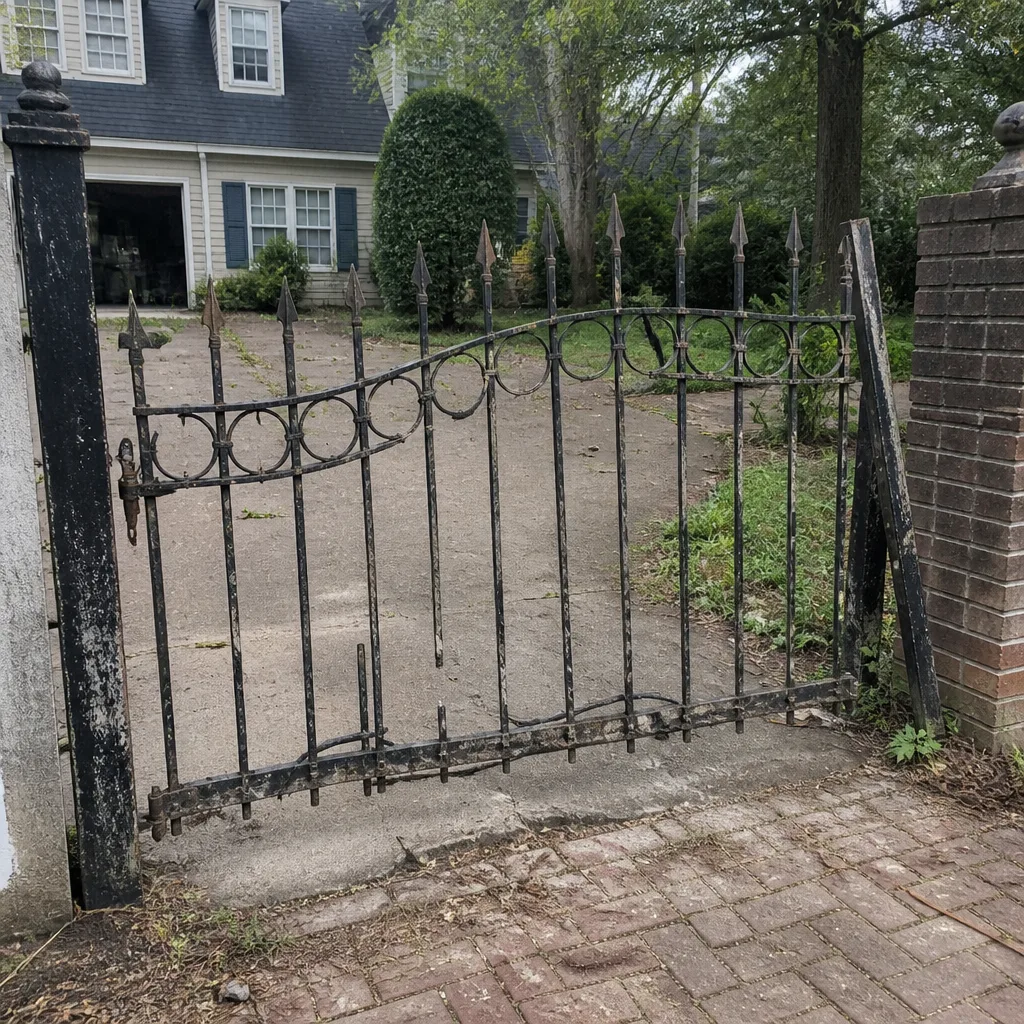 Before
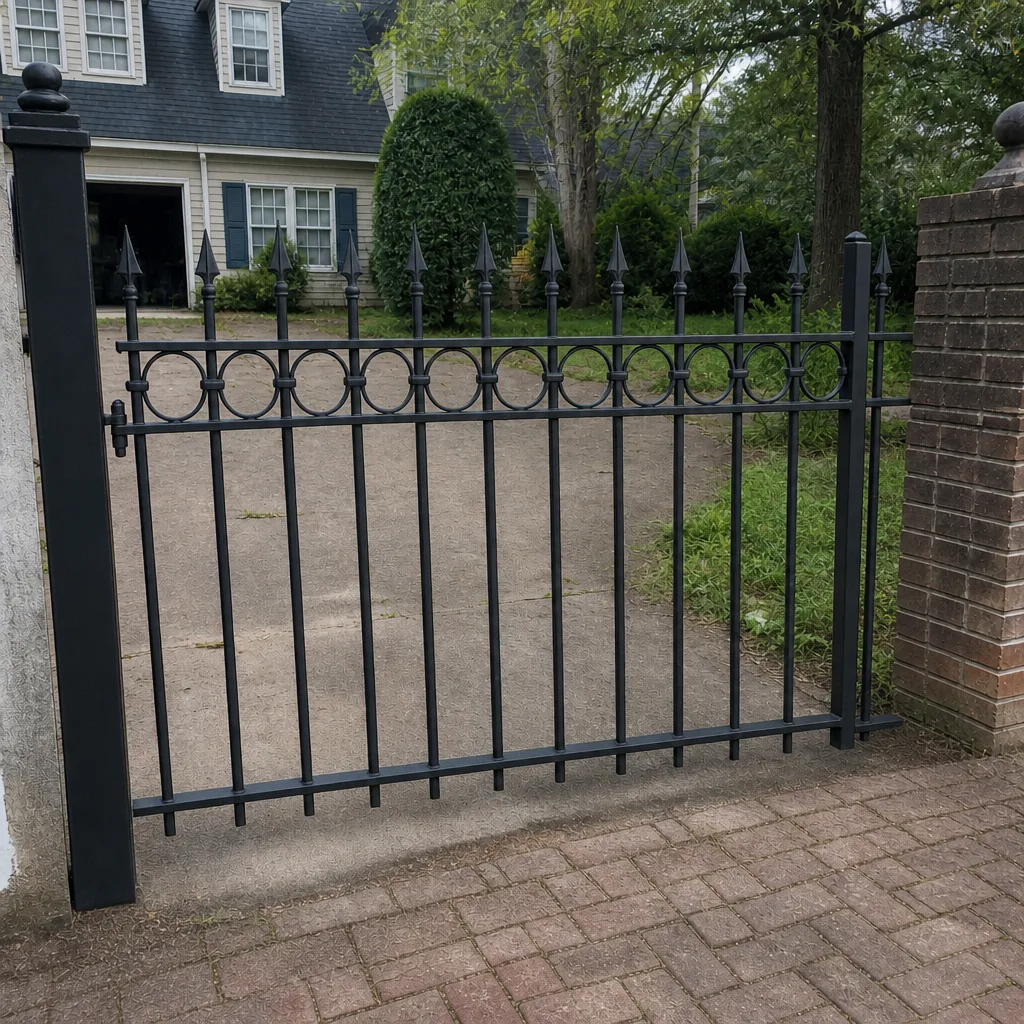 After
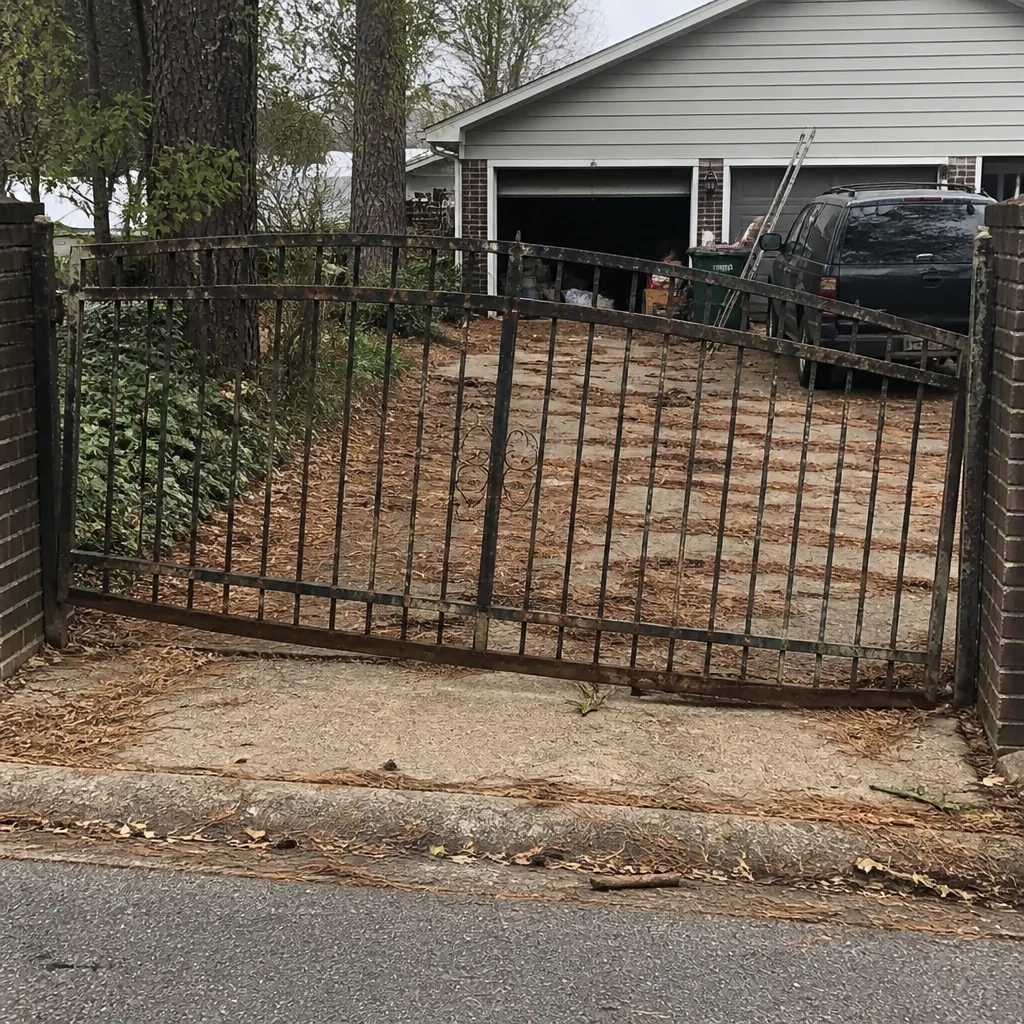 Before
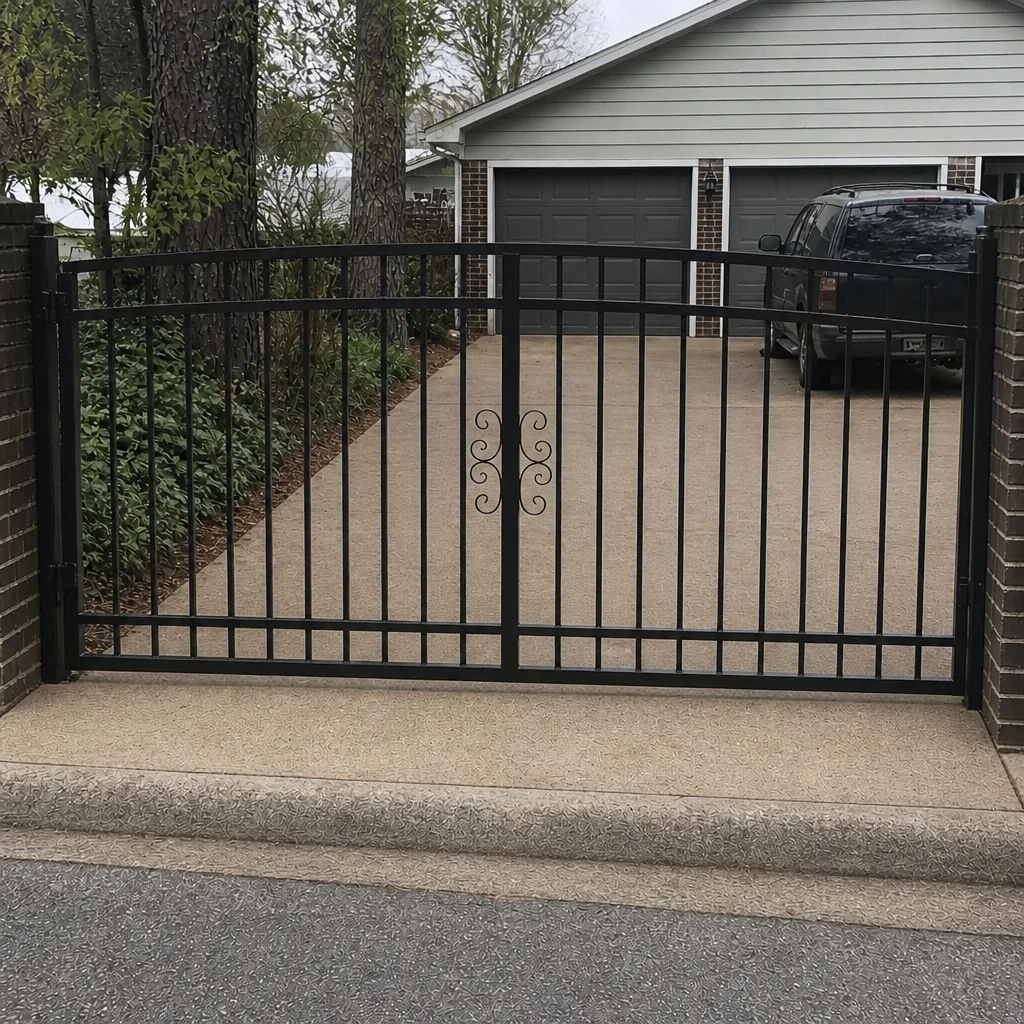 After
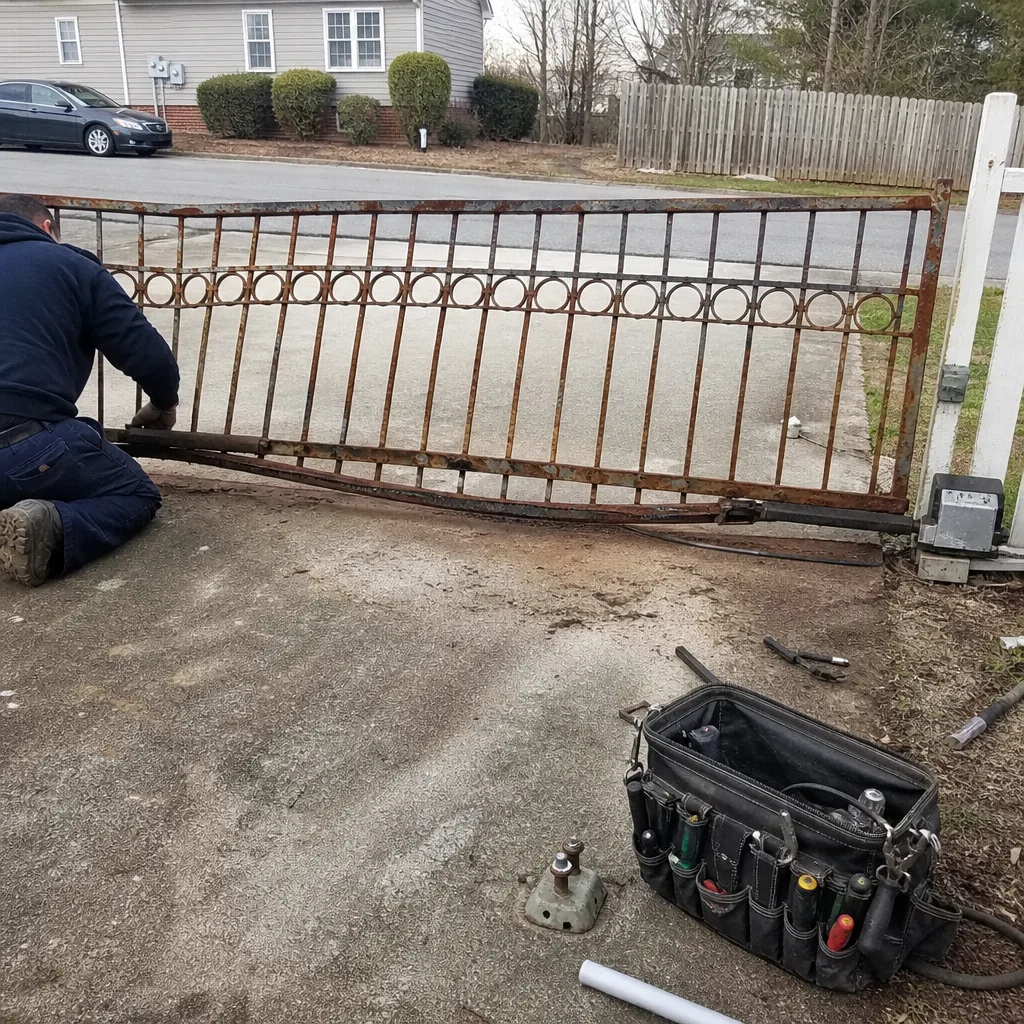 Before
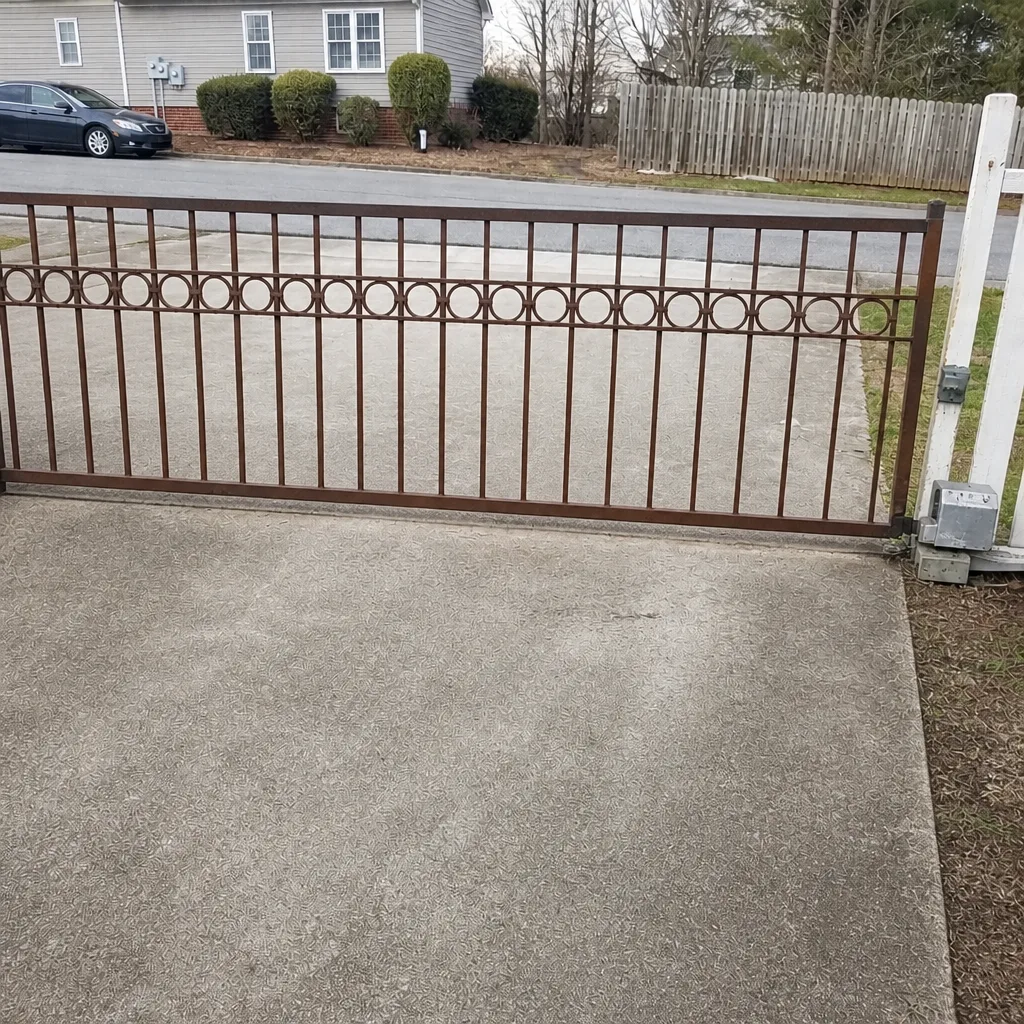 After
When to Call a Professional
Some gate problems are mechanical and obvious: a gate off its track, a snapped hinge, a visible break. Others are electrical and invisible: a control board that’s lost its logic, a loop detector that’s failed, an intercom that no longer triggers the operator. If the symptom involves the operator, the wiring, the safety devices, or the remote receiver, call a technician. If you can’t find your manual release, if your battery backup hasn’t been tested, or if your gate has been intermittent for weeks, call a technician. Gate Repair Hampton offers free estimates in Hampton – call (855) 686-7069. We answer 24/7. Fast dispatch from 7am to 7pm, Sunday through Friday. When you call, have your model number and symptoms ready if you can; it saves time and gets us moving faster. We work on gates from nine major brands including LiftMaster, FAAC, BFT, Linear, Viking, Ghost Controls, DoorKing, Elite, and Mighty Mule, so you don’t have to shop around for a brand specialist.
Frequently Asked Questions
We price gate work per job, and the price is set by a written estimate you approve before any work starts – there is no charge for the estimate itself. Cost depends on what’s actually failed: a mechanical hinge or track repair sits in one range, an operator motor or control board repair in another, and a battery or safety-edge replacement in another. When we diagnose, we give you the estimate in writing first. Call (855) 686-7069 for an exact quote – estimates are free.
Use the manual release, not the remote. Find the release lever on a swing operator (lift or depress it) or the key cylinder on a slide operator, disengage the gate, and push it open by hand. If it won’t move freely by hand, stop – something mechanical is binding and forcing it will cause damage. Call (855) 686-7069 and we’ll walk you through the next step.
Requirements vary by jurisdiction and by insurer, so we can’t say definitively what applies to your property. The practical answer is that a battery backup is worth having regardless – during a storm-related power outage, it’s the difference between controlled gate operation and a manual release in the dark. Ask your insurer whether your policy has any backup-power requirement, and check with the city about local permitting for automated gate systems.
Heat accelerates battery aging, so Hampton’s hot summers shorten backup battery life compared to cooler climates. A sealed lead-acid battery in a metal operator housing will generally lose capacity faster here than the same battery would in a mild climate. Test it twice a year and replace it as soon as it can’t cycle the gate on battery power. Our technicians have up to 9 years of experience testing and replacing backup batteries and can tell you what to look for on your specific operator model.
In most cases yes, and a control board is usually repairable or replaceable without replacing the entire operator. We diagnose the system rather than simply swapping parts, and we work on your brand – LiftMaster, FAAC, BFT, Linear, Viking, Ghost Controls, DoorKing, Elite, or Mighty Mule – so we can source the right component. Call (855) 686-7069 with your model number and symptoms. Estimates are free.
Have your operator’s make and model (a photo of the model plate is ideal), the gate type (swing or slide), what the gate is doing (stopped, won’t move, erratic, partial travel), and whether power is on to the operator. If you’ve already tried the manual release, tell us how it went. Any of that from your emergency information sheet speeds up the diagnosis significantly. Call (855) 686-7069. We answer 24/7.
The Bottom Line
Gate emergencies in Hampton are rarely about the gate. They’re about whether you know where the manual release is, whether your backup battery actually works, and whether the person you call has your model number and symptoms in hand. Build the information sheet, test the release and the battery twice a year, know what to do when a gate fails during a storm, and know which parts of a post-storm gate you should not touch. That preparation turns a crisis into a same-day service call. When something does go wrong – or when you want to get ahead of it – Gate Repair Hampton handles repair, electric diagnosis, and installation for residential and light commercial gates across the nine brands we service. Call (855) 686-7069 for a free estimate. We answer 24/7. Fast dispatch from 7am to 7pm, Sunday through Friday. Return to the main Gate Repair Hampton page if you need to reach any other part of our service.
Written by the team at Gate Repair Hampton.